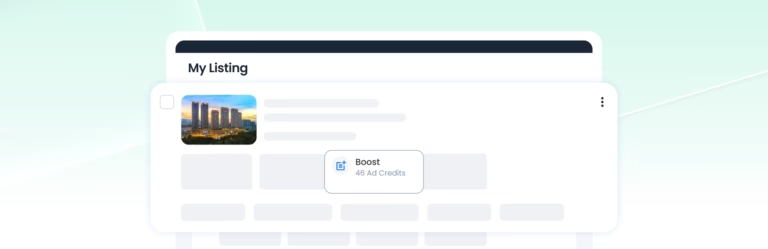

PowerUps use Ad Credits or Featured Credits, depending on the tool you activate. When credits are deducted depends on whether you activate a PowerUp manually, use an automatic PowerUp or activate Featured Agent.
This guide explains credit deductions, insufficient credits, cancellations, refunds, and what happens to your PowerUps if a listing becomes inactive or your AgentPro Membership expires.
When Are Credits Deducted for PowerUps?
Manually Activated PowerUps
For Repost, Boost and Enhance, the required Ad Credits are shown before you confirm. The credits are deducted when you confirm and activate the PowerUp.
Automatic PowerUps
For Auto-Repost, Auto-Boost and Auto-Enhance, you are not charged the entire forecasted campaign cost upfront.
Instead, the required Ad Credits are deducted each time a scheduled PowerUp action is successfully completed.
Featured Agent
Featured Agent uses Featured Credits instead of Ad Credits. The required Featured Credits for your selected placement period are charged upfront when Featured Agent is activated.
What Happens If You Do Not Have Enough Credits?
If you do not have enough Ad Credits or Featured Credits when activating a PowerUp, it cannot be activated. Top up the required credits before trying again.
If an active Auto-Repost, Auto-Boost or Auto-Enhance does not have enough Ad Credits for its next scheduled action:
- The scheduled action will not be applied.
- No Ad Credits will be deducted.
- The automatic PowerUp will pause until sufficient Ad Credits are available.
Can You Cancel an Active PowerUp?
No. Once a PowerUp has been activated, it cannot be cancelled.
Auto-Repost, Auto-Boost and Auto-Enhance normally continue until the selected active period ends. You cannot turn off the automation yourself, but you can contact MetProperty Customer Support to request an early stop.
Are PowerUp Credits Refundable?
No. Once a PowerUp is activated, the credits used are non-refundable. If the PowerUp has an active period, you will not receive a refund for any unused remaining duration.
For automatic PowerUps, Ad Credits already deducted for completed actions are also non-refundable. Future scheduled actions that are not completed will not be charged.
What Happens to PowerUps If Your Listing Becomes Inactive?
If You Delete the Listing
Any active PowerUps will end. The remaining duration will be lost, and credits already used will not be refunded.
If the Property Is Sold or Rented
When you mark the property as sold or rented and the listing becomes inactive, its PowerUps will stop providing promotional benefits. Any remaining duration is non-refundable and cannot be transferred to another listing.
Automatic PowerUps associated with the listing will also stop.
What Happens If Your AgentPro Membership Expires?
If your AgentPro Membership expires, all active PowerUps will end immediately, and no further automatic PowerUp actions will be applied. Any remaining duration on an active PowerUp will be lost and is non-refundable.
Where Can You Check or Top Up Your Credits?
Use Credit Consumption in AgentPro to check your available Ad Credits and Featured Credits and view how your credits have been used. You can access it from:
- Top-right navigation bar: Ad Credits → Credit Consumption
- Profile Card: Ad Credits or Featured Credits → Credit Consumption
To top up your credits, go to the Dashboard, find the Credit card and select + Top Up.