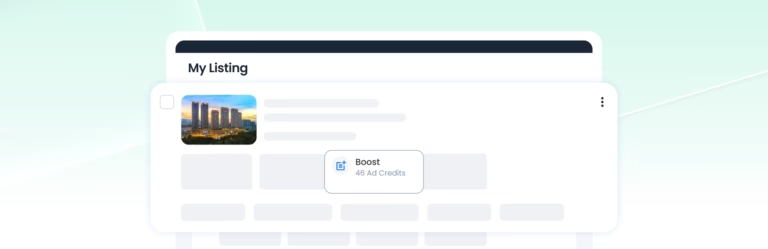

Enhance gives your property listing additional presentation and visibility benefits for one week.
If you want these benefits to continue beyond the first week, activate Auto-Enhance and choose how many additional weeks you want them to continue.
Enhance Your Listing
What does Enhance do for your listing?
Enhance gives your listing additional presentation and visibility benefits. While Enhance is active, your listing receives:
- Priority ranking
- A highlighted larger property card
- Icon and Tag display
- Your agent profile display
- An image carousel
Which listings can use Enhance?
You can activate Enhance on eligible active For Sale and For Rent listings after they have been created.
Enhance is not available while a listing is under review or declined. Enhance cannot continue beyond the listing’s expiry date.
How do you activate Enhance?
To activate Enhance:
- Log in to your AgentPro account.
- Go to Listing → My Listing.
- Find an eligible listing and select Enhance.
- Review the required Ad Credits.
- Confirm to activate Enhance.
How much does Enhance cost?
Enhance pricing is dynamic and may vary depending on factors such as the listing’s location and search demand in that area. In most cases, Enhance costs around 45–55 Ad Credits per week.
The exact number of Ad Credits required will be shown before you activate Enhance. Credits are deducted once you confirm and activate the PowerUp.
Can you use Enhance with other PowerUps?
Yes. Enhance can run alongside other PowerUps, including Repost, Auto-Repost, Boost and Featured Agent.
If Enhance and Boost are active at the same time, your listing will be displayed using Enhance, as it is the higher-tier PowerUp. However, both PowerUps will remain active independently, and the Ad Credits required for each will still be charged.
Credits already deducted are non-refundable, even when PowerUps overlap. We recommend checking your active PowerUps before activating Enhance to avoid unnecessary overlap with Boost.
Each PowerUp will continue to follow its own duration and expiry.
What happens when Enhance expires?
When Enhance expires, the additional Enhance benefits end. Your listing remains active if it has not reached its expiry date, and any other active PowerUp continues until its own expiry.
Auto-Enhance Your Listing
How does Auto-Enhance work?
Auto-Enhance allows you to schedule Enhance benefits for multiple consecutive weeks.
When activating Auto-Enhance, you select the total number of weeks you want your listing to receive Enhance benefits, including the initial week.
- 1 week: Your listing receives Enhance benefits for one week only.
- 2 weeks: Your listing receives Enhance benefits for the first week, then is automatically Enhanced again for the second week.
- 3 weeks: Your listing receives Enhance benefits for three consecutive weeks, with the system automatically applying Enhance for the remaining weeks.
Auto-Enhance runs automatically according to the selected weekly schedule, so you do not need to manually Enhance your listing again each week.
How do you activate Auto-Enhance?
While Enhance is active, you can activate Auto-Enhance to continue the Enhance benefits for additional weeks:
- Log in to your AgentPro account.
- Go to Listing → My Listing.
- Find the listing you want to active auto Enhance.
- Click the Enhance button and select the number of weeks you want Enhance benefits to run.
- Review the scheduled start date and time, end date and time, and required Ad Credits.
- Confirm to activate Auto-Enhance.
Once activated, your listing will receive Enhance benefits according to the selected schedule.
How much does Auto-Enhance cost?
Enhance pricing is dynamic and may vary depending on factors such as the listing’s location and search demand in that area. In most cases, Enhance costs around 45–55 Ad Credits per week. Before confirming, you can review the required Ad Credits for the selected period.
When are Ad Credits deducted for Auto-Enhance?
Ad Credits are deducted upfront when you activate Auto-Enhance. The total amount is calculated based on the number of weeks you select, and the corresponding Ad Credits will be deducted immediately upon confirmation.
What happens if you do not have enough Ad Credits for Auto-Enhance?
If you do not have enough Ad Credits to cover the selected Auto-Enhance period, you will not be able to activate Auto-Enhance. You will need to add more Ad Credits before proceeding.
Can you change how often Auto-Enhance runs?
No. Auto-Enhance runs on a fixed weekly cycle. You cannot choose a different frequency.
Can you stop Auto-Enhance after it starts?
You cannot turn off Auto-Enhance yourself after it starts. Any Ad Credits already used are non-refundable.
When does Auto-Enhance end?
Auto-Enhance ends when:
- The selected Auto-Enhance period ends.
- The listing becomes ineligible, such as when it expires or is marked as sold or rented.
- Your AgentPro Membership expires.