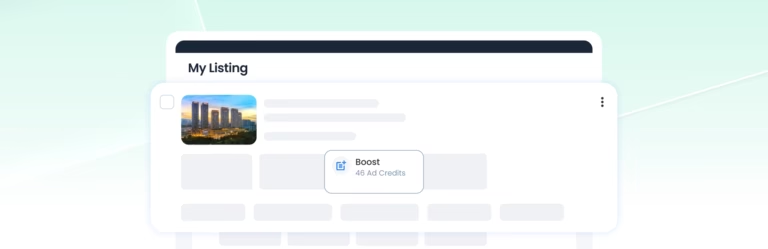

PowerUps are promotional tools in AgentPro that help increase the visibility of your property listings or agent profile. Depending on the PowerUp you choose, you can improve your listing’s ranking or presentation, refresh its posting date, or gain additional agent exposure.
What is a Standard Listing?
A Standard Listing is a regular property listing without an active PowerUp. Posting a Standard Listing costs 8 Ad Credits, and the listing remains valid for 60 days.
You can apply a PowerUp to an eligible active listing when you want additional promotional benefits.
What changes when you use a PowerUp?
The benefits depend on the PowerUp you activate. PowerUps add promotional benefits to your existing listing or agent profile without requiring you to create a separate listing.
Each PowerUp works independently and follows its own duration and expiry.
What PowerUp tools are available?
AgentPro provides seven PowerUp tools:
Boost, Enhance, Repost and their Auto options are used with eligible property listings. Featured Agent focuses on increasing your agent profile visibility and showcasing selected listings through Featured Slots.
Which PowerUp should I choose?
Choose a PowerUp based on what you want to achieve:
- Boost: Increase your listing’s ranking and exposure.
- Enhance: Improve your listing’s presentation and visibility.
- Repost: Refresh your listing’s posting date and extend its expiry.
- Featured Agent: Increase your agent profile visibility and showcase selected listings.
- Auto options: Continue Boost or Enhance beyond the first week, or schedule Reposts automatically for a selected period.
Can I use PowerUps on any listing?
Listing-level PowerUps are available for eligible active For Sale and For Rent listings after they are created.
You cannot activate them while a listing is under review or has been declined.
Can I use multiple PowerUps on the same listing?
Yes. You can activate multiple PowerUps on the same listing, and each PowerUp will follow its own duration, expiry, and credit requirements.
For example:
- Boost and Enhance can be active at the same time. When they overlap, your listing will be displayed using Enhance, as it is the higher-tier PowerUp. However, both PowerUps remain active and the credits for both are still charged separately.
- Repost or Auto-Repost can be used while Boost or Enhance is active. Reposting refreshes the listing’s posting date and position within its current PowerUp tier without cancelling the active Boost or Enhance.
- Featured Agent can also run alongside listing PowerUps, as it promotes your agent profile separately from the individual listing.
Important: Activating a higher-tier PowerUp does not cancel or refund an existing PowerUp. Credits already deducted are non-refundable, so we recommend checking your active PowerUps before adding another one to avoid unnecessary overlap.
How long does it take for a PowerUps to become active?
PowerUps Tools is applied immediately on your listing after confirmation.
What does Update Posting Date mean?
Update Posting Date means refreshing your listing’s posting date to the current date and time without creating a new listing. This happens when you use Repost or Auto-Repost.
What happens to PowerUps when my listing expires?
Listing-level PowerUps generally cannot continue beyond your listing’s expiry date.
Repost and Auto-Repost are different because each successful Repost refreshes the posting date and extends the listing’s expiry by another 60 days from that date.
Can I cancel a PowerUps Tool after activation?
Once activated, PowerUps Tools cannot be cancelled or reversed, and no refunds will be made.
Please review your PowerUps Tools carefully before confirming.
Can I transfer a PowerUps Tool to another listing?
No. Once a PowerUps Tool has been applied to a listing, it cannot be transferred to another listing.