

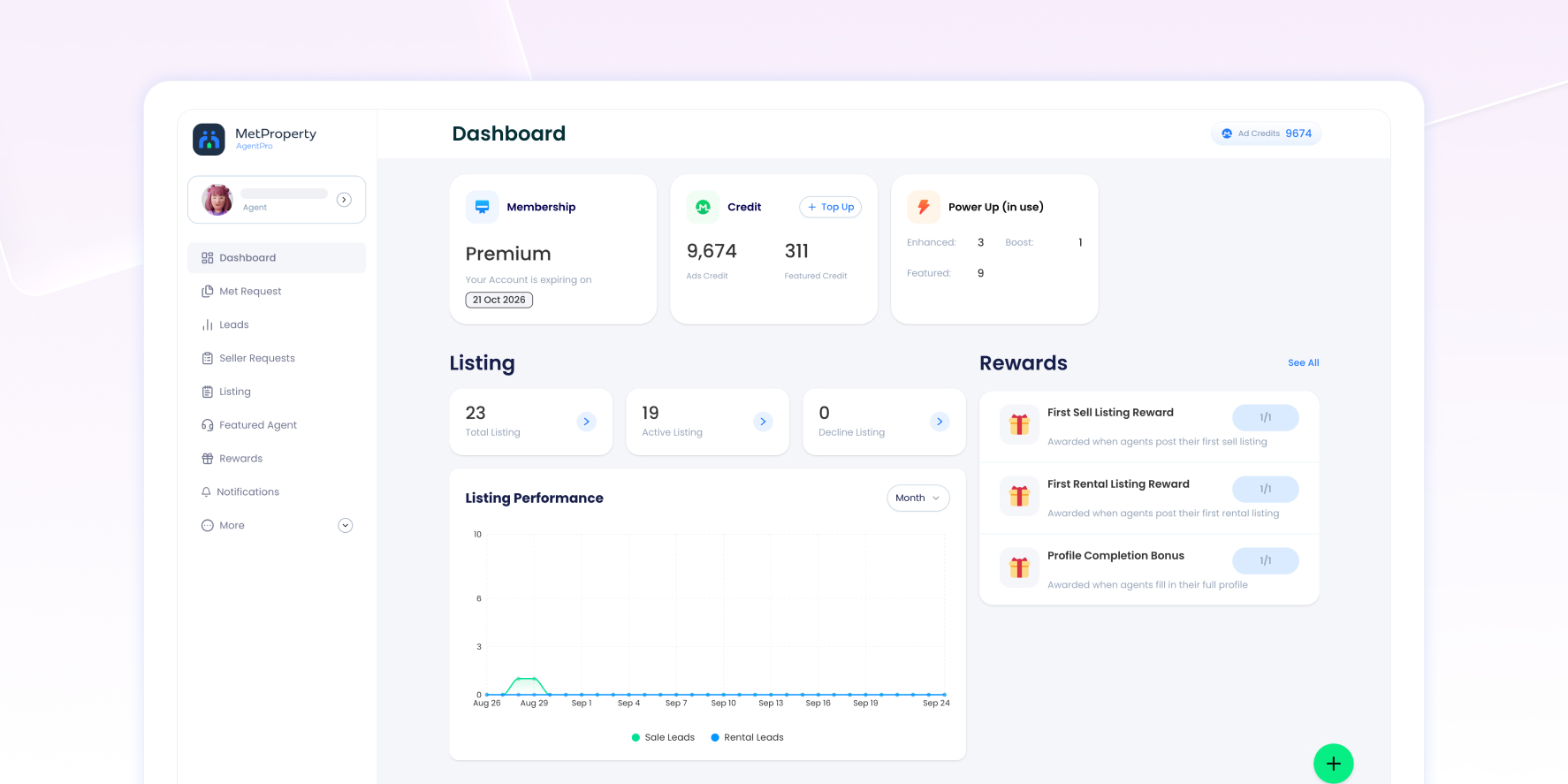
The AgentPro Dashboard gives you a quick overview of your account, listings, Rewards, MET Listing activity and leads, helping you identify what needs your attention and where to take action.
Access the Dashboard
When you log in to AgentPro, you will land on the Dashboard automatically.
If you are elsewhere in AgentPro, open the Menu and select Dashboard to return to it.
What Can You Check From the Dashboard?
The Dashboard brings together key information about your AgentPro account and activity. From one page, you can quickly check:
- Your membership, available Ad Credits and Featured Credits, and PowerUp usage
- Your listing status and overall listing performance
- Your Reward progress
- Your MET Listing activity
- Your recent and unread leads
- Your lead activity over time
- Quick access to AgentPro tools and the latest MetProperty updates
Use the Dashboard to identify what needs your attention, then open the relevant AgentPro feature for more details or to take action.
Check Your Account Status and Available Credits
Membership
The Membership card shows your current membership and expiry date.
Credit
The Credit card shows your available Ad Credits and Featured Credits.
Select + Top Up to purchase additional credits, or go to Credit Consumption to review your credit usage.
Power Up (in use)
PowerUp (in use) shows the number of PowerUps you currently have in use, including Enhanced, Boost and Featured.
Check Your Listing Activity
Listing
The Listing section gives you a quick count of your listings by status:
- Total Listing
- Active Listing
- Decline Listing
Select the arrow on a card to open My Listing, where you can review your listings and their status in more detail.
Listing Performance
The Listing Performance chart shows clicks across all your listings, separated into Sale Leads and Rental Leads. Use the period selector to view your activity by Week, Month or Year and compare how your sale and rental listings perform over time.
To check the performance of a specific listing:
- Go to My Listing.
- Find the listing you want to review.
- Check the My Listing Performance panel.
You can view its Leads, Views, Impressions and Favourite.
Track Your Reward Progress
Rewards
The Rewards panel shows selected Rewards and your current progress. Progress updates in real time, helping you see which requirements you have completed and which are still in progress.
Select See All to open the Rewards page, where you can review your Rewards and manually claim unlocked Rewards.
Check Your MET Listing Activity
MET Listing
A MET Listing is created when you accept a MET Request from MetProperty.
The MET Listing section summarises your Pending Invitations, Accepted This Month and Expiring Soon, helping you identify activity that may need your attention.
Select View All to review your MET Listings in more detail.
Keep Track of Your Latest Leads
MET Leads
The MET Leads card shows your recent MET Leads. Each preview can include the lead name, property details, sale or rental information, date and Lead Status, such as Hot, Warm or Cold.
Select a lead to view its details.
Latest Unread
Latest Unread shows your most recent unread leads, helping you identify new enquiries that may need your attention.
View All Leads
Select View All to open the full Leads area. You can also access your leads through Menu → Leads.
Review Your Lead Activity Over Time
Lead’s Overview
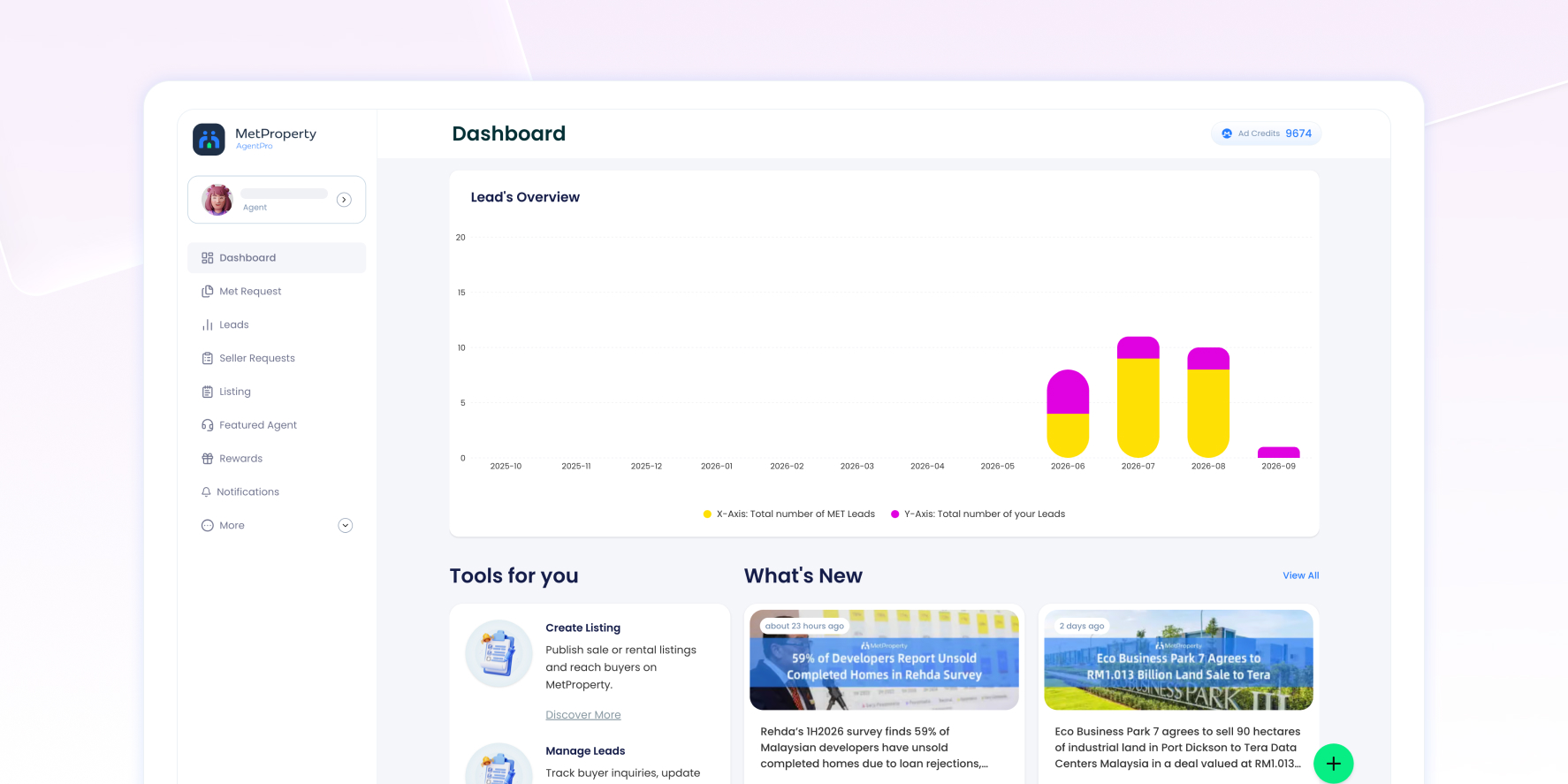
The Lead’s Overview chart shows how your lead activity changes over time across two types of leads:
- MET Leads — enquiries received through MetProperty.
- Your Leads — enquiries generated through your own presence on MetProperty.
Access Other AgentPro Tools
Tools for you
Tools for you provides quick access to key AgentPro features:
- Create Listing — create and publish a For Sale or For Rent listing.
- Manage Leads — review enquiries, update Lead Status and follow up with leads.
- Featured Agent — view Featured Agent campaigns and placement opportunities.
- MET Requests — review and respond to opportunities from MetProperty.
Find the Latest MetProperty Updates
What’s New
The What’s New section shows recent MetProperty content and updates, including an image, headline, short preview and publication information.
Select View All to see more updates.
FAQs About the AgentPro Dashboard
Where can I check my available Ad Credits and Featured Credits?
Check the Credit card on the Dashboard. Select + Top Up to purchase additional credits, or go to Credit Consumption to review your credit usage.
What does PowerUp (in use) mean?
PowerUp (in use) shows the number of PowerUps you currently have in use, including Enhanced, Boost and Featured.
How do I check the performance of a specific listing?
Go to My Listing, find the listing you want to review and check the My Listing Performance panel. You can view its Leads, Views, Impressions and Favourite.
Where can I find my unread leads?
Check Latest Unread for your most recent unread leads. To review all your leads, select View All or go to Menu → Leads.
How do I check and claim my Rewards?
Check the Rewards panel to see your selected Rewards and current progress. Select See All to review your Rewards and manually claim any unlocked Rewards.
Where can I review all my MET Listings?
Select View All in the MET Listing section to review your MET Listings in more detail.


