

Your AgentPro account gives you access to all the tools you need to manage property listings, receive seller leads, promote listings with PowerUps, track performance, and grow your real estate business. This guide explains how to create an account, log in, manage your account information, and troubleshoot common account issues.
Before You Start
Before creating your AgentPro account, please prepare the following:
- A valid email address
- An active mobile number
- Your REN registration number
- Your preferred AgentPro membership package
Important
An AgentPro account is only available to agents with an active AgentPro membership package.
What is AgentPro?
AgentPro is MetProperty’s professional platform designed for real estate agents.
With an active AgentPro account, you can:
- Receive Met Requests from homeowners
- Create and manage property listings
- Promote listings using PowerUps
- Track listing performance
- Manage buyer and seller leads
- Monitor rewards and credits
- Access your membership benefits
How to Get an AgentPro Account
An AgentPro account is available only with an active AgentPro membership package.
If you’re interested in joining AgentPro, simply contact our Customer Care team and we’ll recommend the most suitable package based on your business needs.
Contact Customer Care
enquiries@metproperty.com
+60 11-6276 7828
Operating Hours
Monday – Friday
9:00 AM – 6:00 PM
How Your Account Registration Works
Once you’ve chosen your preferred membership package, your account will be created through the following process.
Step 1 — Choose Your Package
Our Customer Care team will recommend the most suitable AgentPro package based on your requirements.
Step 2 — Complete Payment
After confirming your preferred package, payment must be completed before your registration can proceed.
Step 3 — Receive Your Registration Invitation
Once payment has been received, you’ll receive a registration invitation via email.
Click the registration link to:
- Complete your registration
- Set your password
- Submit your account information
Step 4 — Admin Review
After registration is completed, your application will be reviewed by our Admin team.
Review and approval typically takes:
1–3 working days (exclude public holiday)
Step 5 — Account Activated
Once approved, you’ll receive an email confirming that your AgentPro account has been activated.
You can then log in using your registered email address and password.
How to Log In to AgentPro
There are two ways to access your AgentPro account.
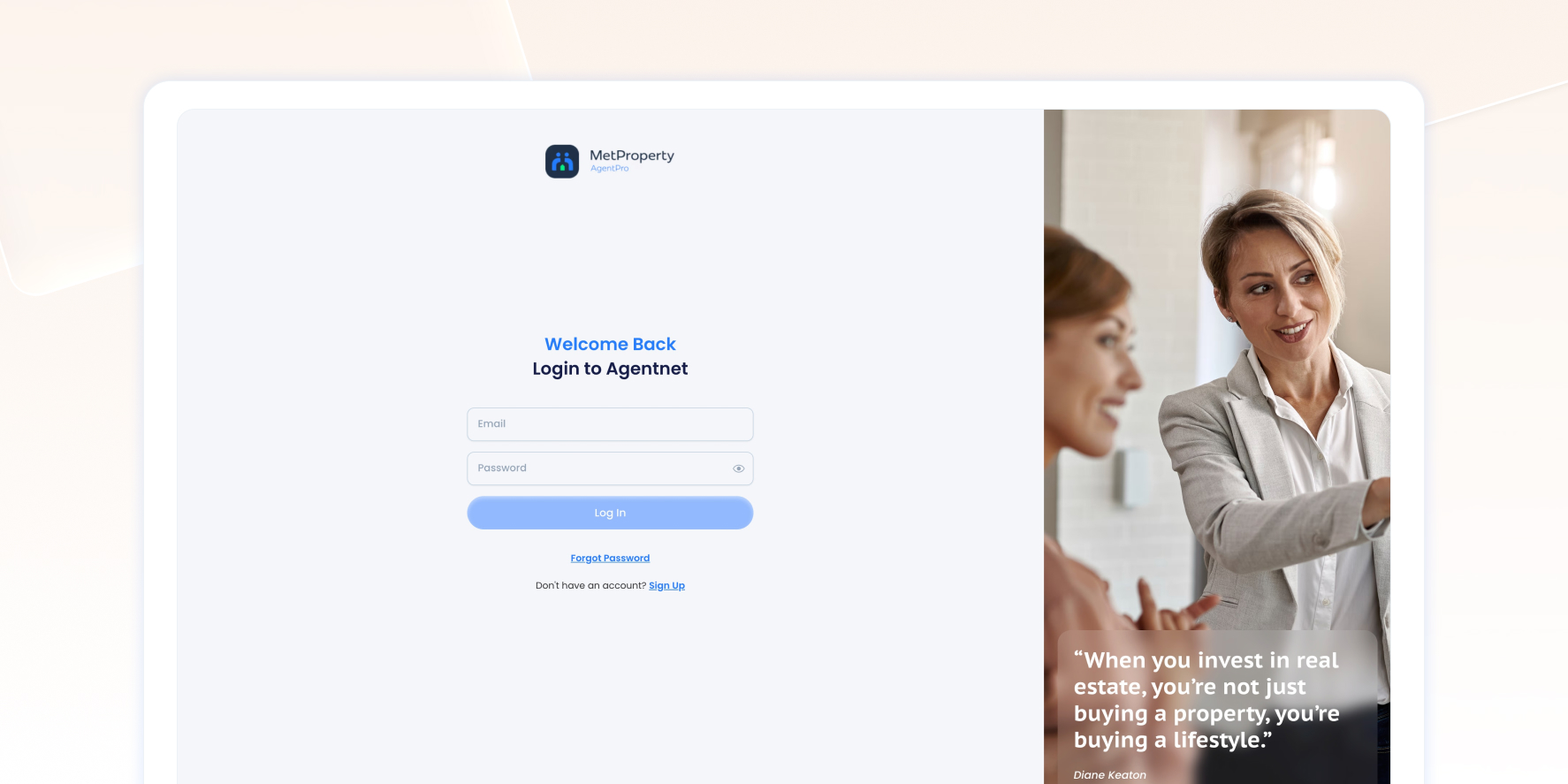
Option 1 — Login from AgentPro
- Visit
https://agentpro.metproperty.com.my
- Enter your registered email address.
- Enter your password.
- Click Log In.
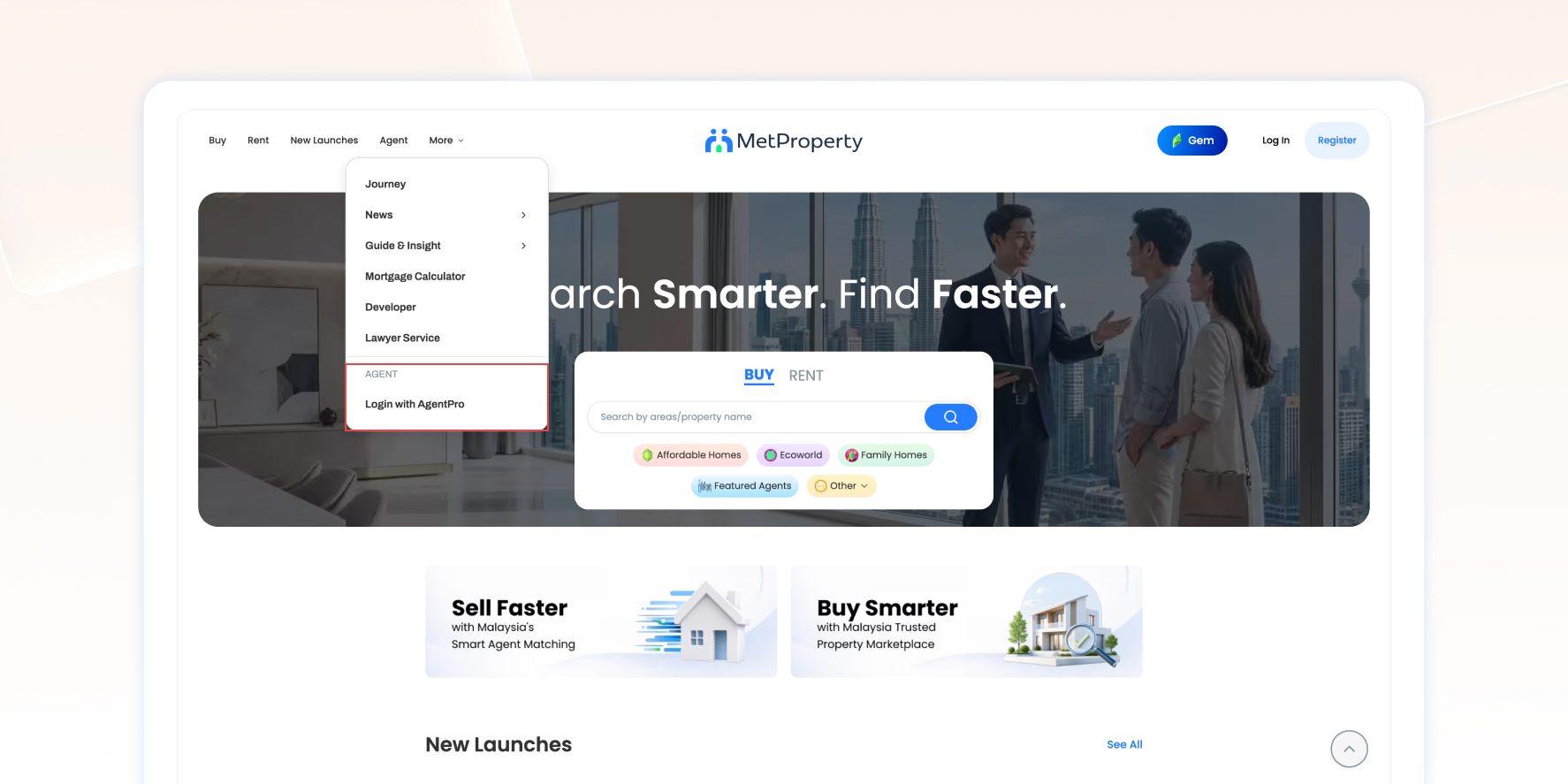
Option 2 — Login from MetProperty
- Visit the MetProperty website.
- Open the navigation (☰) menu.
- Select More.
- Click Login with AgentPro.
- Enter your registered email address and password.
Note
You can only log in after your account has been approved and activated.
Forgot Your Password?
If you’ve forgotten your password:
- Go to the AgentPro Login page.
- Click Forgot Password.
- Enter your registered email address.
- A password reset link will be sent to your email.
- Follow the instructions to create a new password.
If you don’t receive the email, please check your Spam or Junk folder before contacting Customer Care.
Manage Your Account Information
You can update certain account information directly within AgentPro.
You Can Update Yourself | Contact Customer Care to Update |
First Name | Email Address |
Last Name | REN Number |
Phone Number | Agency Registration Number |
Password | Agency Information |
Note
Updating your phone number requires verification before the change takes effect.
Account Status
Your AgentPro account may display one of the following statuses.
Status | Description |
Pending Approval | Your registration has been submitted and is awaiting Admin approval. |
Active | Your account is active and ready to use. |
Suspended | Your account has been temporarily restricted while under review. |
Expired | Your membership has expired and access to AgentPro is unavailable until your membership is renewed. |
If your account has been suspended or expired, please contact Customer Care for assistance
Account Security
To help keep your account secure:
- Use a strong password.
- Never share your login credentials.
- Change your password regularly.
- Always log out when using a shared device.
Multiple Device Login
Your AgentPro account can be accessed from multiple devices using the same login credentials.
Supported Devices
AgentPro is available on:
- Desktop browsers
- Mobile web browsers
Currently, there is no dedicated mobile application.
Frequently Asked Questions
Can I create an AgentPro account without purchasing a package?
No. An active AgentPro membership package is required before an account can be created.
How long does account activation take?
Account review and activation normally takes 1–3 working days after registration has been completed.
Can I log in before my account is approved?
No.
You’ll only be able to log in after your account has been approved and activated.
Can I log in on multiple devices?
Yes.
Your AgentPro account can be accessed from multiple devices.
Can I change my email address?
Yes.
However, email address changes must be requested through Customer Care.
Can I change my phone number?
Yes.
You can update your phone number within AgentPro. Verification is required before the new number becomes active.
What happens when my membership expires?
Your AgentPro account will no longer be accessible until your membership has been renewed.
Why has my account been suspended?
Accounts may be temporarily suspended if unusual activities are detected or when a report requires further investigation.
If you believe your account has been suspended by mistake, please contact Customer Care


