

Creating a listing is only the first step. To attract more buyers and generate quality enquiries, your listing needs to be visible to the right audience.
This guide explains how AgentPro ranks listings, how to improve your Listing Quality Score, and how to use PowerUps strategically to maximise your property’s exposure.
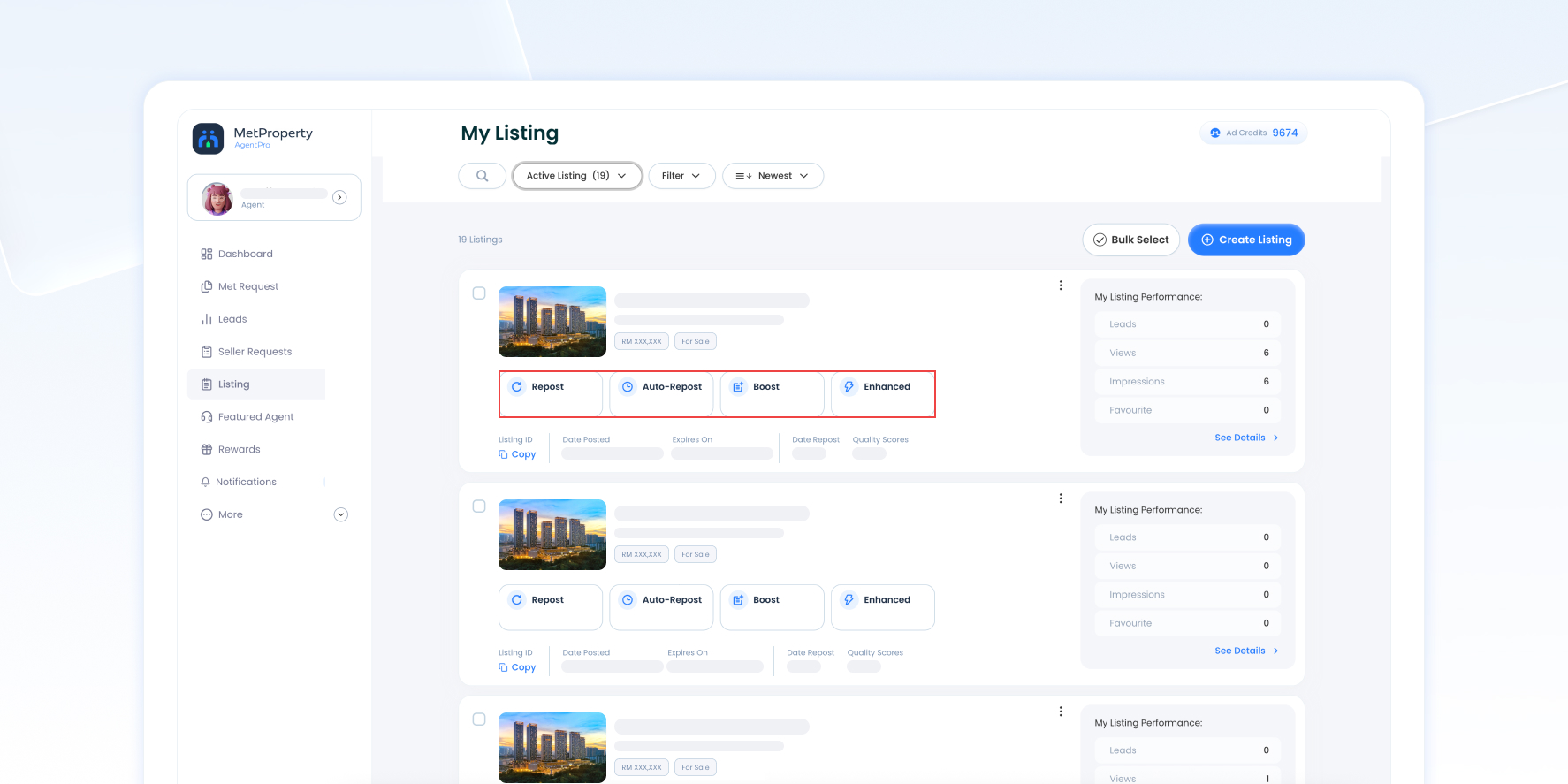
How Listing Visibility Works
Your listing visibility depends on a combination of listing quality, freshness, and the PowerUps you use.
Generally, listings with better exposure receive more impressions, which can lead to more views, enquiries and buyer interactions.
Factors that improve listing visibility include:
- Recently updated listings
- Featured Agent
- Enhance
- Boost
- Repost
- Auto-Enhance
- Auto-Boost
- Auto-Repost
Keeping your listing complete and regularly refreshed helps maintain better visibility over time.
Listing Ranking Priority
Listings are grouped into different ranking levels depending on the PowerUp being used.
Ranking | Listing Type |
1st Group | Featured Agent |
2nd Group | Enhance |
3rd Group | Boost |
4th Group | Standard Listing |
Featured Agent listings always receive the highest placement.
Within Featured Agent, visibility depends on the selected Featured Agent slot (Residential Area or Project).
After a PowerUp expires, the listing returns to the Standard group unless Auto PowerUps are enabled.
Tip
Enhance listings always appear above Boost listings, while Boost listings appear above Standard listings.
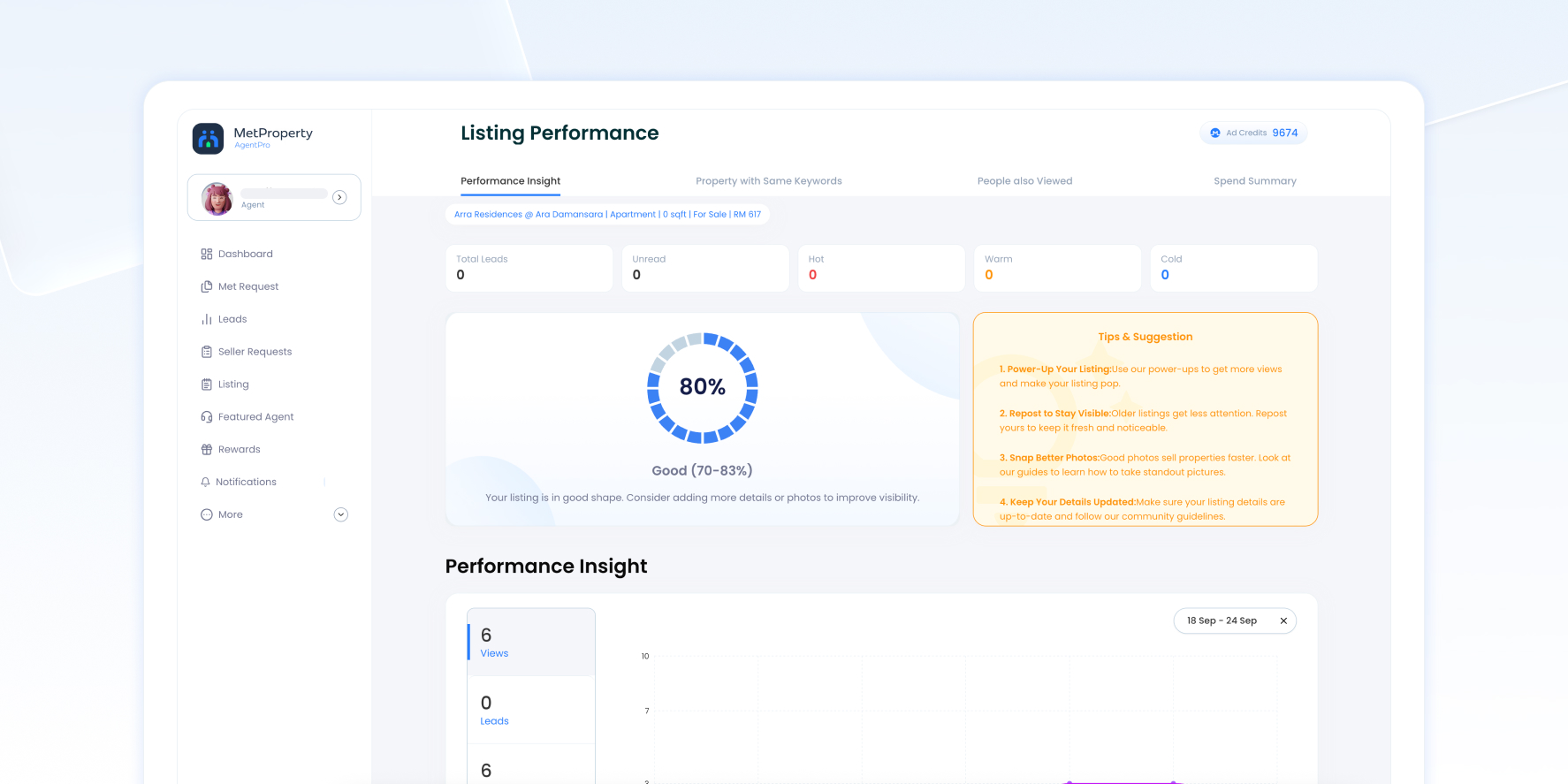
Improve Your Listing Quality Score
Every listing receives a Listing Quality Score while you’re creating it.
A higher score indicates a more complete listing, helping buyers understand your property better and encouraging more engagement.
Your score is calculated using four categories.
Category | Maximum Score |
Location & Basics | 20 Points |
Property Details | 30 Points |
Price | 20 Points |
Media | 30 Points |
Location & Basics (20 Points)
Complete the following information:
- Property Name
- Address
- City & State
- Property Type
Each completed field contributes to your overall score.
Property Details (30 Points)
Complete as many property details as possible, including:
- Bedrooms
- Bathrooms
- Car Parks
- Property Description
- Facilities
A detailed listing helps buyers make informed decisions and improves listing quality.
Price (20 Points)
Always include:
- Selling Price
or - Monthly Rental
Listings without pricing information receive a lower quality score.
Media (30 Points)
Media contributes significantly to your Listing Quality Score.
Points are awarded for:
- Property Images
- Property Video
The more complete your media gallery, the higher your score.
Score | Rating |
0–49% | Poor |
50–69% | Fair |
70–89% | Good |
90–100% | Excellent |
Aim for Good or Excellent before publishing your listing.
Complete Every Listing Detail
Buyers are more likely to enquire when listings contain complete information.
Before publishing, make sure you’ve added:
- Property name
- Full location
- Selling price or rental
- Bedrooms and bathrooms
- Property description
- Facilities
- High-quality Property image
- Video (recommended)
The more complete your listing, the better the experience for potential buyers.
Use High-Quality Photos & Videos
Images are often the first thing buyers notice.
For better engagement, we recommend:
- Use landscape (horizontal) photos.
- Upload multiple high-quality images.
- Choose an attractive cover image.
- Include a property video whenever possible.
A well-presented listing is more likely to encourage buyers to click and learn more.
Keep Your Listing Fresh
Recently updated listings generally receive better visibility than outdated listings.
You can keep your listings fresh by:
- Updating your posting date
- Republishing your listing using Repost
- Extending your listing expiry
- Using Auto-Repost to refresh your listing automatically
Repost moves your listing to the newest position within the Standard Listing group, updates the posting date, extends the listing expiry date, and consumes the required Ad Credits.
If you enable Auto-Repost, AgentPro automatically republishes your listing based on your selected day, time and duration.
Increase Visibility with PowerUps
PowerUps help your listings reach more buyers by improving their placement and presentation.
Featured Agent
The highest visibility option with premium placement, limited slots and the most comprehensive listing presentation.
Best for:
- High-value properties
- Priority listings
- Building your personal brand
Enhance
Enhance improves your listing presentation while placing it above Boost and Standard listings.
Additional features include:
- Custom promotional caption
- Property tags
- Box outline
- Image carousel
- Profile image
- Icon & tag
Best for listings that need stronger presentation and higher visibility.
Boost
Boost moves your listing into the third ranking group while refreshing the posting date and extending the listing expiry.
Best for:
- Quickly increasing exposure
- Recently updated listings
- Time-sensitive promotions
Standard Listing
Standard listings remain visible without additional promotion and are ranked according to their posting date.
Note
Boost and Enhance remain active for 7 days. If Auto-Boost or Auto-Enhance is enabled, the selected PowerUp will automatically renew according to your configured schedule.
Monitor Your Listing Performance
AgentPro provides Performance Insights to help you understand how your listings are performing.
Performance statistics include:
Exposure
- Impressions
- Views
Impressions measure how many times your listing appears to buyers.
Views measure how many times buyers open your listing.
Leads
Track enquiries received through:
- Phone Call
Buyer Engagement
Monitor buyer interactions including:
- Views
- Favourite
- Share
- Compare
- Gallery Actions
- Description Expands
Review your performance regularly to understand which listings are attracting buyers and which may benefit from additional promotion.
Best Practices
To maximise your listing visibility, we recommend the following:
✓ Complete all listing information.
✓ Aim for a Good or Excellent Listing Quality Score.
✓ Upload multiple high-quality landscape photos.
✓ Set an attractive cover image.
✓ Add a property video whenever possible.
✓ Write a detailed property description.
✓ Refresh your listings regularly.
✓ Use PowerUps strategically for important listings.
✓ Review your Performance Insights frequently.
Frequently Asked Questions
Does a higher Listing Quality Score improve visibility?
A higher Listing Quality Score creates a more complete listing, which helps attract buyer engagement and improves the overall quality of your property presentation.
What's the difference between Boost and Enhance?
Enhance ranks above Boost and includes additional presentation features such as promotional captions, property tags and enhanced listing design.
What happens after Boost or Enhance expires?
Your listing automatically returns to the Standard Listing group unless Auto-Boost or Auto-Enhance has been enabled.
Does Repost create a new listing?
No.
Repost refreshes your existing listing by updating its posting date, extending its expiry date and moving it to the latest position within the Standard Listing group.
Should I use Featured Agent?
Featured Agent is recommended for important listings, premium properties and agents who want maximum visibility within their selected project or residential area.
One recommendation
Since this is an Agent Academy rather than a traditional Help Center, I would also add small visual callout boxes throughout the article, for example:
💡 Pro Tip
Listings with a Good or Excellent Listing Quality Score and regular updates are more likely to attract buyer engagement than incomplete listings.
🚀 PowerUp Tip
Use Featured Agent for your highest-priority properties, Enhance to improve presentation, and Boost when you need additional short-term exposure.
These callouts make the article feel more educational and align with the “Academy” concept, rather than reading like a product manual.

